 Sound Meter dB
Put a number on the noise.
Open the app and your phone becomes a sound level meter: a live decibel readout on an analog-style gauge, color-coded from quiet teal to dangerous red, with min, average and max for the session — and a plain-English comparison for every reading, from rustling leaves to jet engine.

Live demo with simulated sound — the real app reads your phone's microphone.
One screen. One job.
No menus to learn — the whole app is the meter. Here it is at three very different moments.
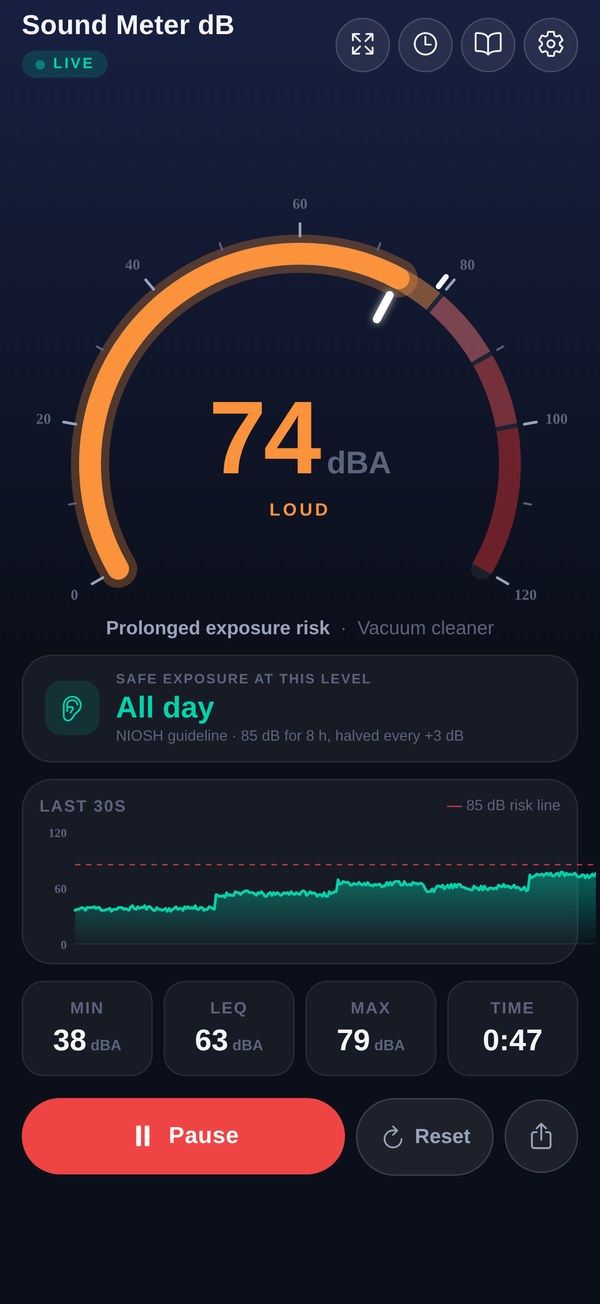
The live reading
Ten updates a second, smoothed like a real SPL meter, with a 30-second history graph and min / avg / max running below.
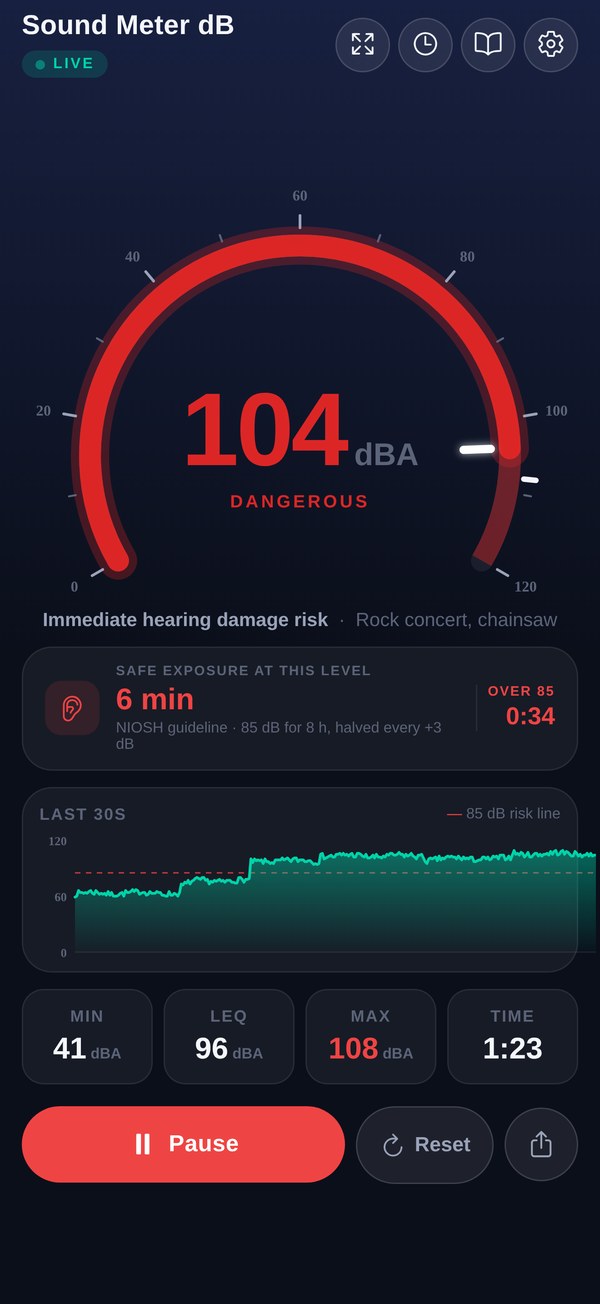
The warning
Past 100 dB the whole readout turns red, tells you exactly what you're risking, and counts the time you've spent over 85 dB.
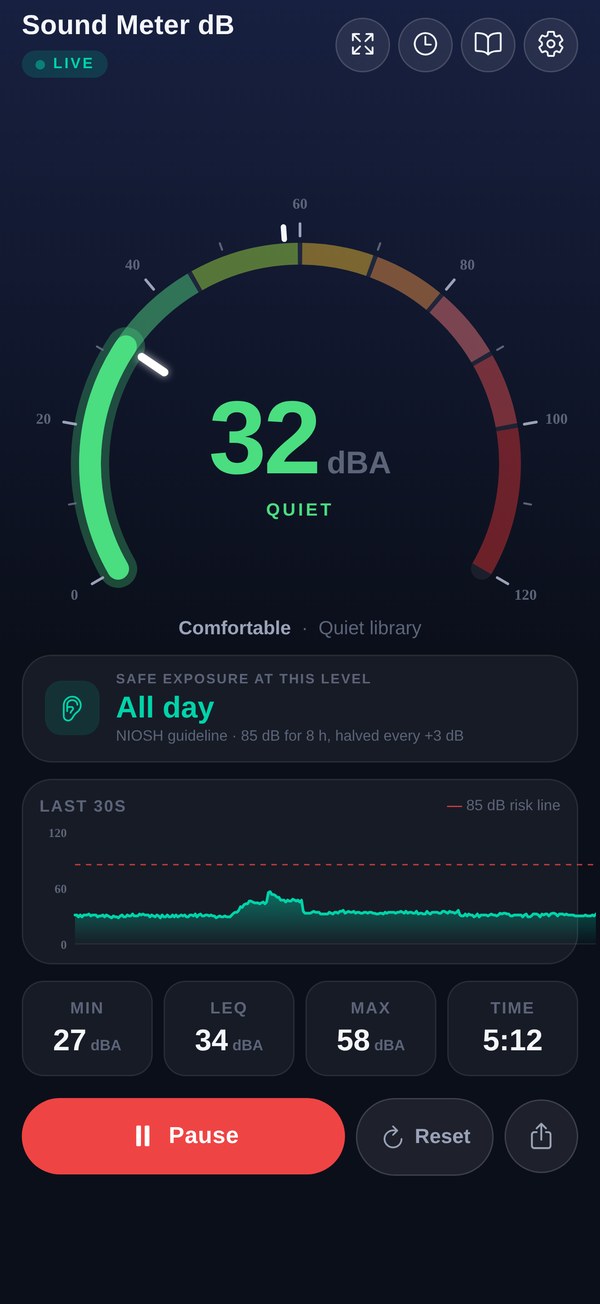
The quiet
Tap Start to measure, Reset to begin a fresh session, Share to send a reading. That's the entire manual.
A real meter, minus the hardware.
Measures like a real meter
A-weighted dBA, Fast or Slow response and Leq (the energy average) — the same maths as a sound level meter, ten times a second. No audio is ever written to disk.
Analog-style gauge
A 0–120 dB arc in eight color zones, from teal (barely audible) through amber to deep red (hearing damage risk).
Every session, saved
Min, Leq, max and a timer while you measure; every session kept on your phone with its timeline, exportable as CSV.
Plain-English context
Every reading gets a label and a familiar comparison — 40 is a quiet library, 75 a vacuum cleaner, 110 a rock concert.
The last 30 seconds
A live history graph with the 85 dB risk line drawn across it, so a spike or a steady drone is obvious at a glance.
Safe-exposure time
How long the current level is safe for, from the NIOSH guideline (85 dB for 8 hours, halved every 3 dB) — plus time spent over 85 dB.
Focus mode
The reading as big as the screen — and the whole screen turns red when the room stays above a level you choose. Classrooms, workshops, venues.
Private by design
Sound is analyzed on your device to make one number. Nothing is uploaded, no account exists, and it works fully offline.
Ready in a second
No setup, no tutorial. Open it, tap Start, point the phone at the question. Calibrate against a reference meter only if you want to — and use it in English, Spanish, Portuguese, German, French or Italian.
What the numbers actually mean.
The same eight zones the gauge uses, with the app's own labels and references.
Rule of thumb: under 70 dB is fine indefinitely; from about 85 dB, the louder it is, the shorter your safe exposure gets.
The honest part.
Your phone's microphone was built for phone calls, not metrology — it isn't calibrated, and every model hears a little differently. Sound Meter dB maps what the mic hears onto an approximate dB scale, so treat readings as good estimates, not certified measurements.
For checking a room, a street, a venue, a neighbor dispute-in-the-making or a worrying hum, that's exactly what you need. For workplace compliance or anything legal, use a calibrated Class 1 / Class 2 meter — and for everything else, save the money.
The short answers.
How accurate is it?
Honest answer: it's an estimate. Phone microphones aren't calibrated, and hardware varies between models. The app does the maths a real meter does — A-weighting, Fast/Slow response, Leq — but maps your mic's input to an approximate dB SPL scale: great for awareness and comparisons, not a substitute for a calibrated professional meter. If you have a reference meter, Settings → Calibration lets you add an offset so this phone matches it.
What do the colors mean?
The gauge runs 0–120 dB through eight zones: teal and green while things are quiet and comfortable, yellow and orange as sound becomes noticeable and loud (roughly 60–80 dB), and reds from 80 dB up, where prolonged exposure starts to carry hearing risk.
Does it record or upload my audio?
The microphone feed is analyzed on your device to produce a live level reading. Nothing is uploaded, there's no account, and no audio ever leaves your phone.
Does it work offline?
Yes — measurement is entirely on-device, so the meter works with no connection at all. Only the ads need internet.
Is it free?
Yes. The app is free and supported by ads — a small banner under the meter and an occasional ad when the app opens. Every feature is available to everyone; nothing is paywalled.
Can I use it for professional measurements?
No — anything official (workplace compliance, legal disputes, engineering sign-off) needs a calibrated Class 1 or Class 2 sound level meter. Sound Meter dB is for awareness: knowing, in seconds, roughly how loud your world is.
"It's not that loud."
Measure it.
Free. No sign-up. Point it at the question.